Goal: bring your graph into the public graph where it overlaps existing nodes: improving those nodes rather than duplicating them, and adding the rest as new nodes.
Open Publishing and click Prepare a merge, or choose ⋮ › Connect… › Prepare a merge on your graph.
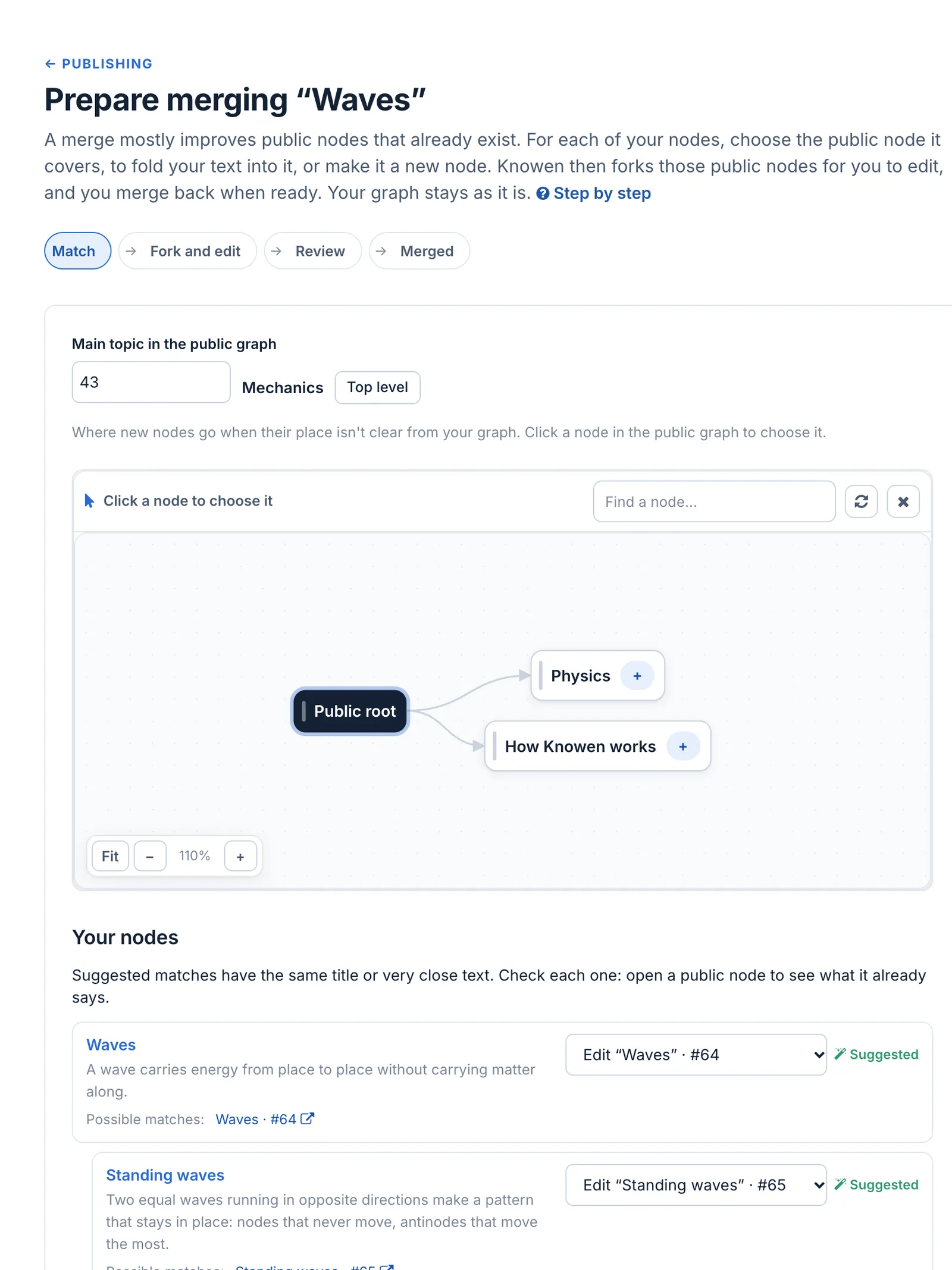
Match. Choose the main topic in the public graph: where new nodes go when their place isn't clear. Then, for each of your nodes, choose what it becomes: Edit an existing public node (Knowen suggests matches with the same title or very close text: open them to check), a New node, or a node you give by ID.
Prepare merging “Waves”: the main topic, and a match for each node
Click Continue. Fork and edit: Knowen forks the public nodes you are editing, so you can fold your text into them. If you edit none, there is nothing to fork.
Propose. Say what the merge adds and why, then submit. The text is frozen from here.
What happens next. The AI first pass reads it and writes a summary for you and for the owners. Then the owners of each public node it changes decide for their own node; after a day without an answer, Root may decide too. You can follow every step from Publishing:
A proposal's life, as the writer sees it: prepare, in review, partly merged, and the Publishing page
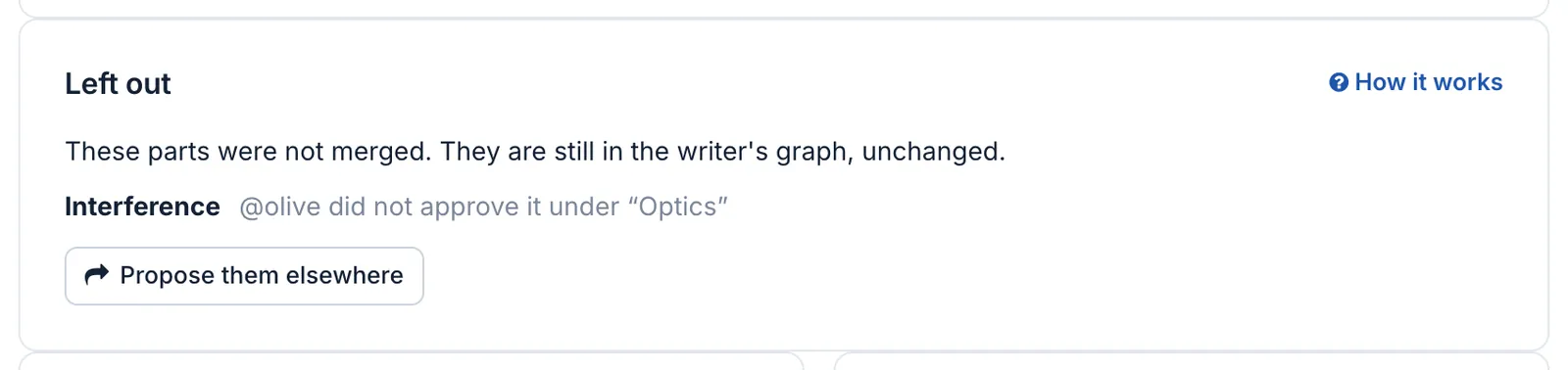
If some owners approve and others don't, the approved part is merged (Partly merged). Nodes left with no approved place come back to you under Left out, still in your graph, with Propose them elsewhere.
Left out: Interference, which @olive did not approve under Optics, with Propose them elsewhere
Undo.Withdraw before a decision. After a merge, the owners of what it changed can roll it back, change by change (Roll back a merge).
**Goal:** bring your graph into the public graph where it overlaps existing nodes: improving those nodes rather than duplicating them, and adding the rest as new nodes.
**Before you start:** your graph must be private and yours. If nothing overlaps, joining is simpler ([Join your graph into the public graph](/nodes/29557)).
1. Open **Publishing** and click **Prepare a merge**, or choose **⋮ › Connect… › Prepare a merge** on your graph.
2. **Match.** Choose the **main topic** in the public graph: where new nodes go when their place isn't clear. Then, for each of your nodes, choose what it becomes: **Edit** an existing public node (Knowen suggests matches with the same title or very close text: open them to check), a **New node**, or a node you give by ID.
3. Click **Continue**. **Fork and edit:** Knowen forks the public nodes you are editing, so you can fold your text into them. If you edit none, there is nothing to fork.
4. **Propose.** Say what the merge adds and why, then submit. The text is frozen from here.
**What happens next.** The AI first pass reads it and writes a summary for you and for the owners. Then the owners of each public node it changes decide for their own node; after a day without an answer, Root may decide too. You can follow every step from **Publishing**:
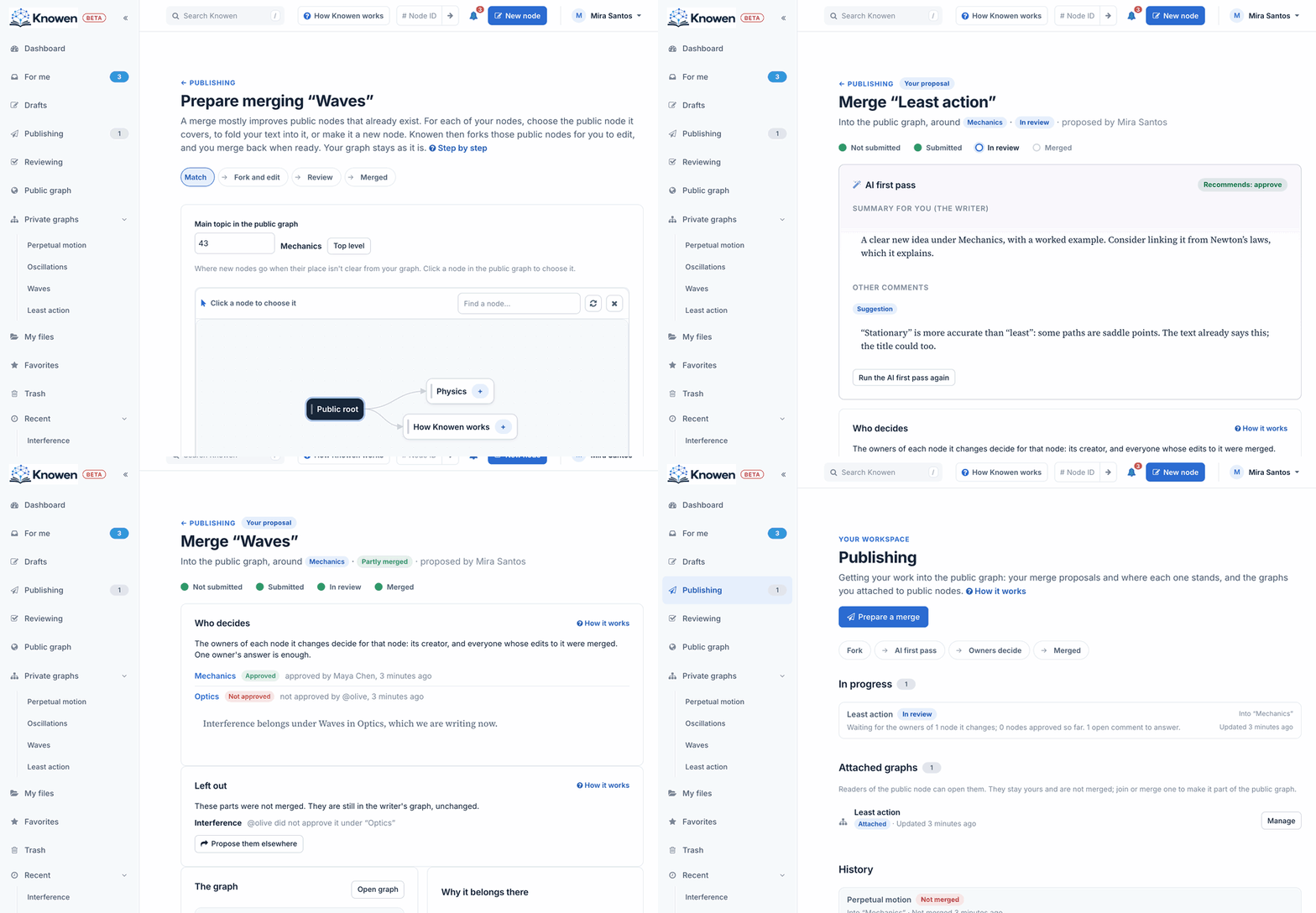
If some owners approve and others don't, the approved part is merged (**Partly merged**). Nodes left with no approved place come back to you under **Left out**, still in your graph, with **Propose them elsewhere**.
**Undo.** **Withdraw** before a decision. After a merge, the owners of what it changed can roll it back, change by change ([Roll back a merge](/nodes/29567)).



