Goal: search one node and everything under it, and see where the matches sit.
Before you start: open the node whose branch you want to search, for example Physics.
Beside the node's Parents and Children, click Search below. (Or press /, type your words and tick Under "Physics" under the search box.)
Type what you are looking for, for example energy, and press Search.
Search in shows Under "Physics", chosen. Click Everywhere, Public graph or Private graphs to widen the search; the results update at once.
The List shows the best matches first, each with where it sits ("In Physics › Mechanics") and a snippet.
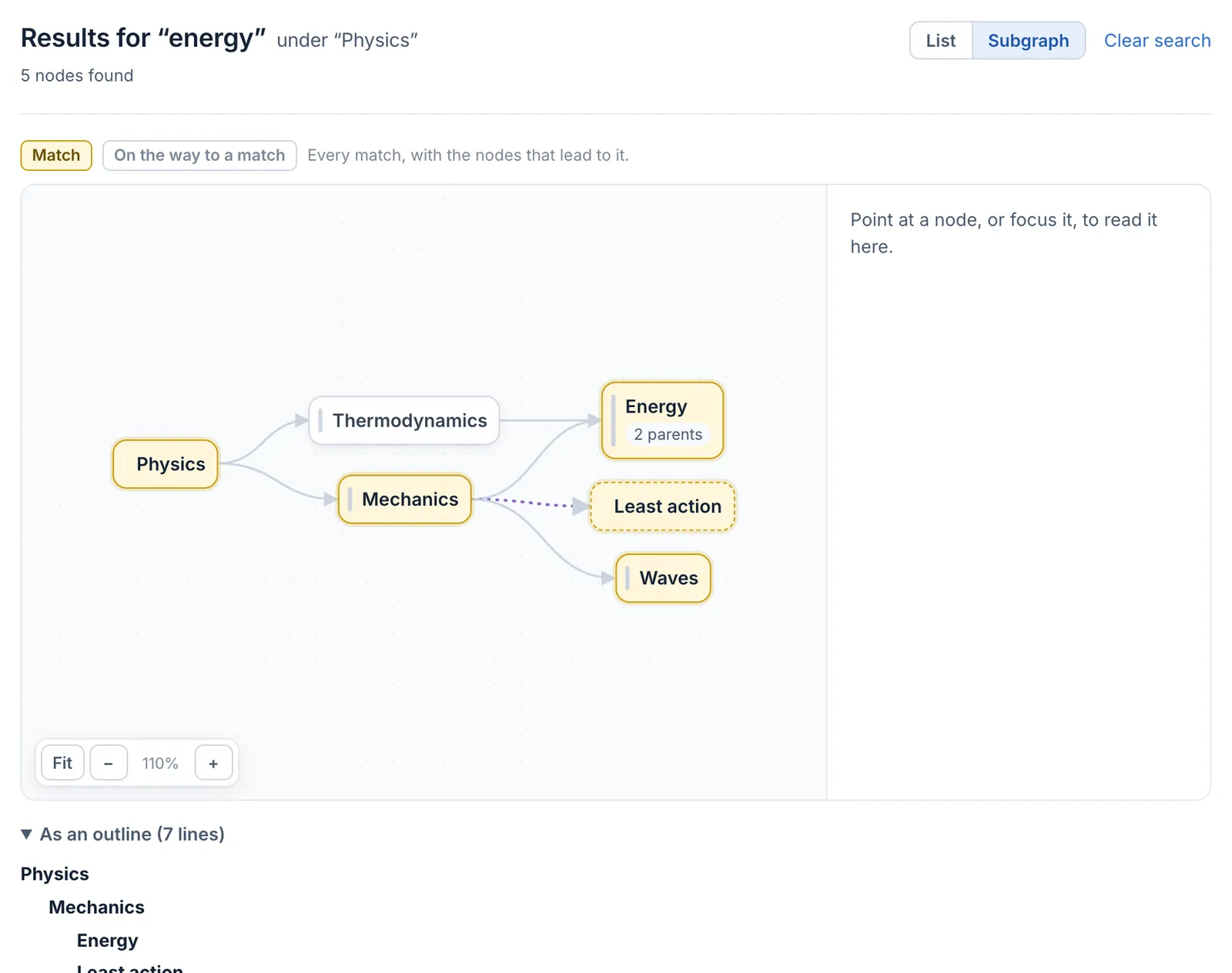
Click Subgraph to see the matches in the graph: each match in yellow, with the nodes that lead to it from Physics. Point at a card to read it in the preview; click its title to open it. The same appears as an outline below the graph.
Searching for energy under Physics: the matches, and the nodes that lead to them
What happens next. The address keeps your words, where you searched and how you look at the results, so you can bookmark it or send it to a collaborator; they see only what they may read.
Undo.Clear search keeps where you searched and empties the words; Everywhere searches all you can read again.
**Goal:** search one node and everything under it, and see where the matches sit.
**Before you start:** open the node whose branch you want to search, for example *Physics*.
1. Beside the node's **Parents** and **Children**, click **Search below**. (Or press **/**, type your words and tick **Under "Physics"** under the search box.)
2. Type what you are looking for, for example *energy*, and press **Search**.
3. **Search in** shows **Under "Physics"**, chosen. Click **Everywhere**, **Public graph** or **Private graphs** to widen the search; the results update at once.
4. The **List** shows the best matches first, each with where it sits ("In Physics › Mechanics") and a snippet.
5. Click **Subgraph** to see the matches in the graph: each match in yellow, with the nodes that lead to it from *Physics*. Point at a card to read it in the preview; click its title to open it. The same appears as an outline below the graph.
**What happens next.** The address keeps your words, where you searched and how you look at the results, so you can bookmark it or send it to a collaborator; they see only what they may read.
**Undo.** **Clear search** keeps where you searched and empties the words; **Everywhere** searches all you can read again.
---
**Part of** [Search](/nodes/29568) and [A node's page](/nodes/29569): all its parents are equal.

