Open it. The Graph button on a node (or the key g, or See in the graph beside its parents and children) opens the full graph with a preview: point at a node, or tap it on a phone, to read it there; click its title to open it. Show in page keeps a smaller graph inside the page instead, and Knowen remembers your choice.
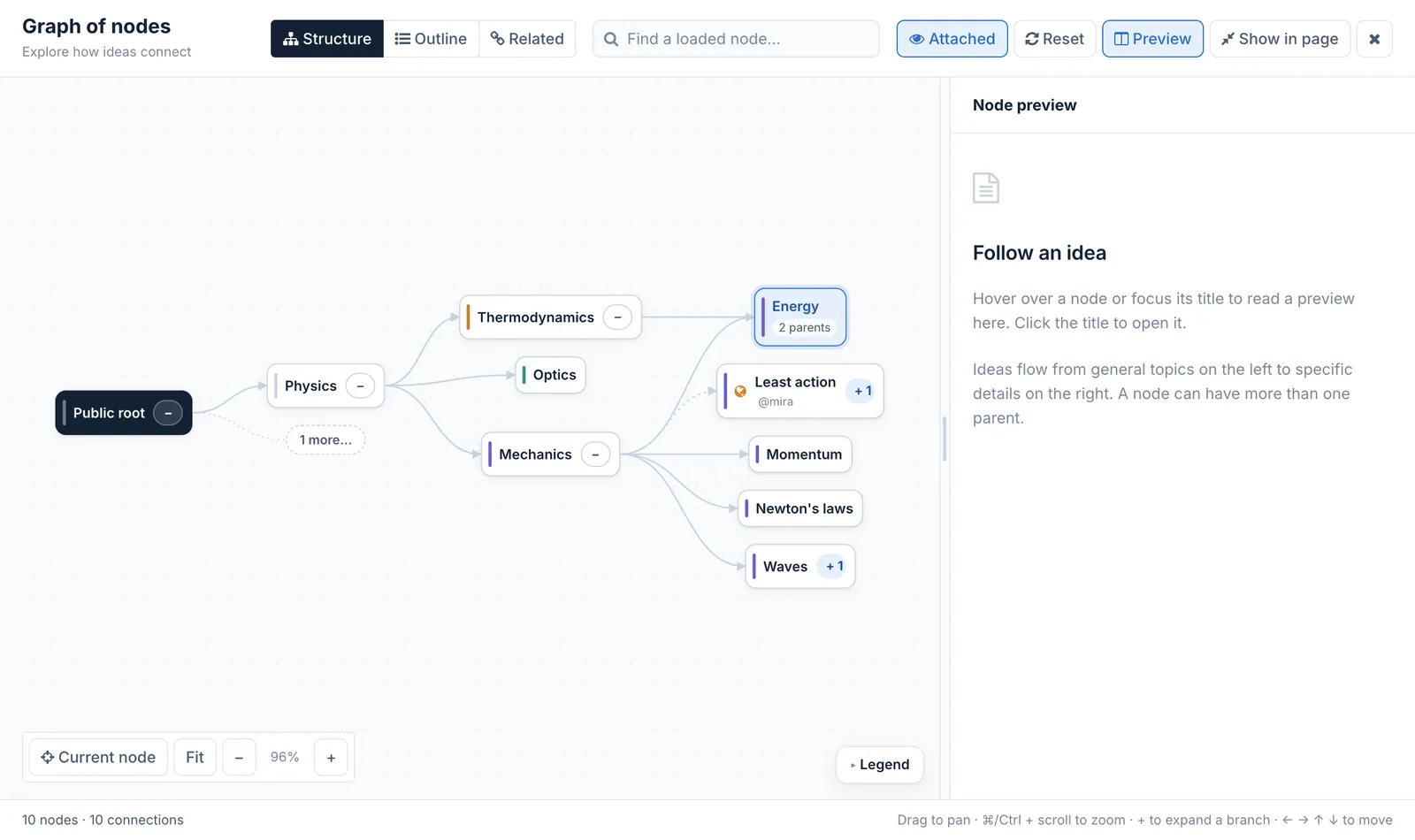
The graph view around Energy: its two parents, an attached graph, and the preview panel
Three views.
Structure: cards from general on the left to specific on the right. Every parent edge looks the same; a card with several parents says how many. A dotted purple edge is an attached graph, shown with its owners.
Outline: the same graph as an indented list.
Related: nodes with similar meaning, found by their text.
Moving around. Drag to pan, ⌘ or Ctrl with the scroll wheel to zoom, Fit to see everything. Pointing at a node lights up its ancestors and descendants. A + on a card opens its branch; a large branch shows a few children and a "more" button to browse the rest.
How it is built. The view asks the server for a bounded piece of the graph around the node and lays it out in the browser; branches load as you open them. The same view is used on merge pages and wherever you choose a node.
**Open it.** The **Graph** button on a node (or the key **g**, or **See in the graph** beside its parents and children) opens the full graph with a **preview**: point at a node, or tap it on a phone, to read it there; click its title to open it. **Show in page** keeps a smaller graph inside the page instead, and Knowen remembers your choice.
**Three views.**
- **Structure:** cards from general on the left to specific on the right. Every parent edge looks the same; a card with several parents says how many. A dotted purple edge is an attached graph, shown with its owners.
- **Outline:** the same graph as an indented list.
- **Related:** nodes with similar meaning, found by their text.
**Moving around.** Drag to pan, ⌘ or Ctrl with the scroll wheel to zoom, **Fit** to see everything. Pointing at a node lights up its ancestors and descendants. A **+** on a card opens its branch; a large branch shows a few children and a "more" button to browse the rest.
**How it is built.** The view asks the server for a bounded piece of the graph around the node and lays it out in the browser; branches load as you open them. The same view is used on merge pages and wherever you choose a node.

