Goal: see what needs you, answer it, and leave nothing waiting by mistake.
Click For me in the sidebar (the number beside it counts unread action items and messages), or Open For me in your dashboard's Needs you.
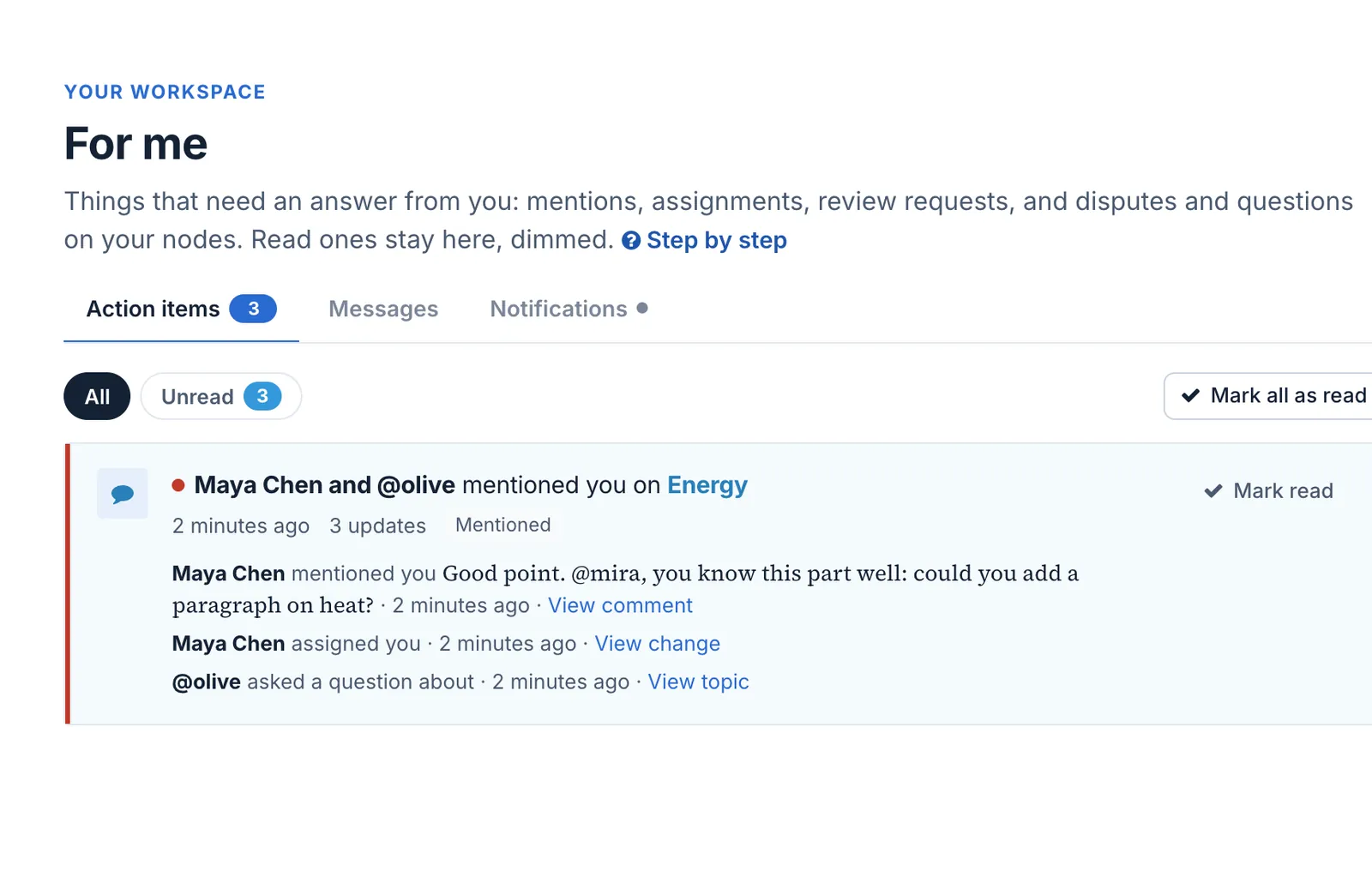
Action items lists what needs an answer, unread first: here, Mira was mentioned in a Talk reply and assigned to Energy. Each says why it reached you.
Mira's action items: a mention and an assignment on Energy
Click an item to go where it happened, and answer there: reply in Talk, decide on a proposal, or start the work you were assigned.
Use Unread to see only what is left; Mark read keeps an item without opening it, and Mark unread brings one back.
Check Messages for conversations, and Notifications for what happened while you were away.
What happens next. Answering clears the item it answers: deciding on a proposal clears its request, for example. The count on the bell, the sidebar and the dashboard goes down as you go.
Undo.Mark unread puts an item back in the count. Nothing in For me is deleted.
**Goal:** see what needs you, answer it, and leave nothing waiting by mistake.
1. Click **For me** in the sidebar (the number beside it counts unread action items and messages), or **Open For me** in your dashboard's **Needs you**.
2. **Action items** lists what needs an answer, unread first: here, Mira was mentioned in a Talk reply and assigned to *Energy*. Each says why it reached you.
3. Click an item to go where it happened, and answer there: reply in Talk, decide on a proposal, or start the work you were assigned.
4. Use **Unread** to see only what is left; **Mark read** keeps an item without opening it, and **Mark unread** brings one back.
5. Check **Messages** for conversations, and **Notifications** for what happened while you were away.
**What happens next.** Answering clears the item it answers: deciding on a proposal clears its request, for example. The count on the bell, the sidebar and the dashboard goes down as you go.
**Undo.** **Mark unread** puts an item back in the count. Nothing in For me is deleted.

