
DNA: updated from work-through-for-me.md
Root ·
Updated from docs/dna/work-through-for-me.md in the Knowen repository: How Knowen works is kept with the code.
Changes to the content
# Work through For me **Goal:** see what needs you, answer it, and leave nothing waiting by mistake. 1. Click **For me** in the sidebar (the number beside it counts unread action items and messages), or **Open For me** in your dashboard's **Needs you**. 2. **Action items** lists what needs an answer, unread first: here, Mira was mentioned in a Talk reply and assigned to *Energy*. Each says why it reached you. 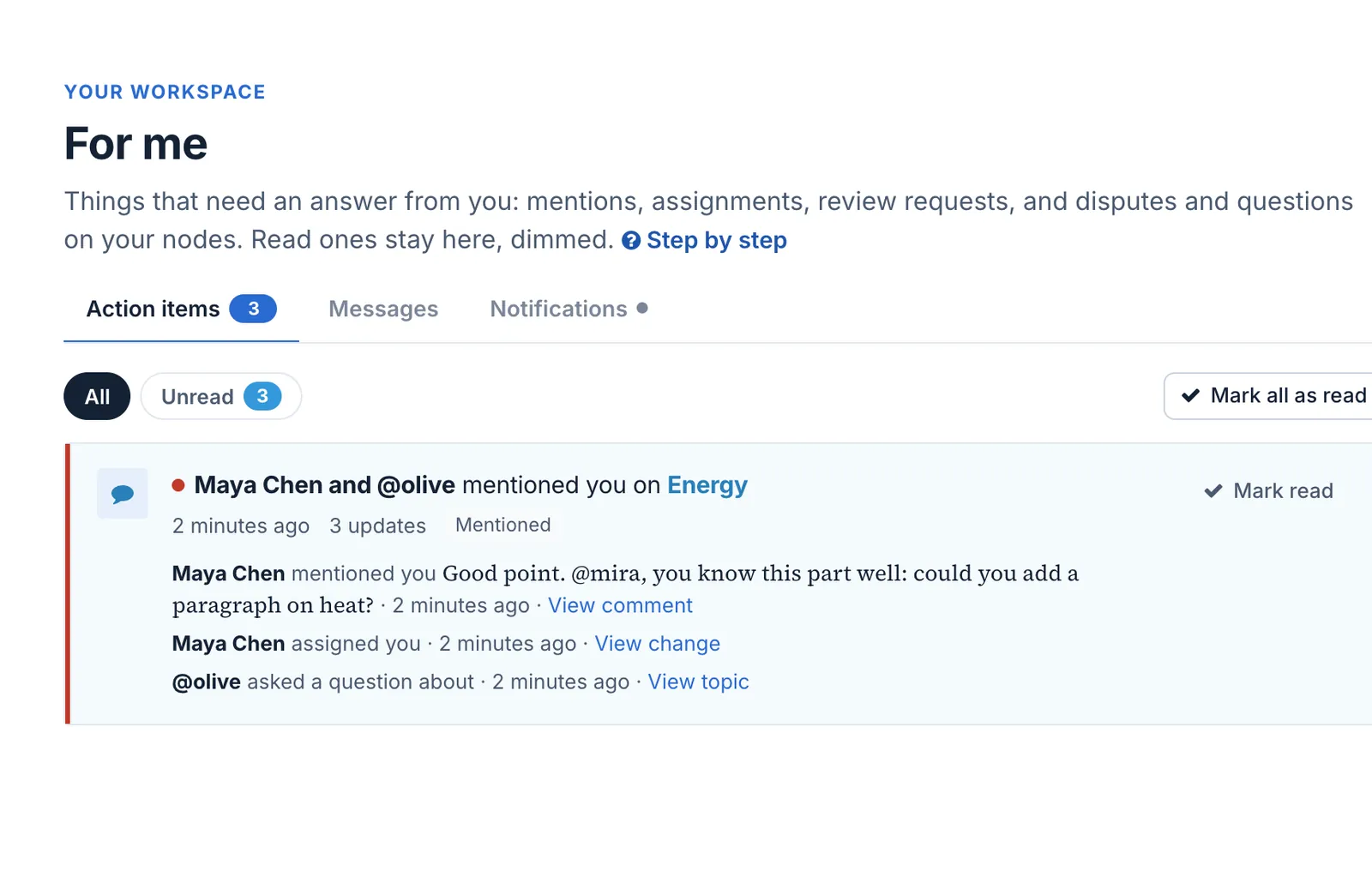 3. Click an item to go where it happened, and answer there: reply in Talk, decide on a proposal, or start the work you were assigned. 4. Use **Unread** to see only what is left; **Mark read** keeps an item without opening it, and **Mark unread** brings one back. 5. Check **Messages** for conversations, and **Notifications** for what happened while you were away. **What happens next.** Answering clears the item it answers: deciding on a proposal clears its request, for example. The count on the bell, the sidebar and the dashboard goes down as you go. **Undo.** **Mark unread** puts an item back in the count. Nothing in For me is deleted. # Parents * For me
Feedback00
No feedback yet. Say whether this change improves the node.
Sign in to add a new comment.